
Name-Based Case Searches
WCCA provides the public name-search route for Pepin County Circuit Court. The older official Simple Search materials document separate fields for a person's last, first, and middle names, plus a distinct business-name field. Current criminal-search guidance says to omit the middle initial and not enter a birth date. Start narrow enough to reduce false matches, but do not add details the current screen does not request.
- Open the Wisconsin case-search landing page and choose WCCA.
- Enter the last and first name, or use the separate business-name field for an organization.
- Select Pepin County and, when useful, a case type such as CF, CM, or CT.
- Open likely results and compare the case number, county, type, filing date, and status.
| Field Label | Type | Required | Notes |
|---|---|---|---|
| Party Name | Text | No | Historical screen separates last, first, and middle; omit middle initial in the documented criminal workflow. |
| Business Name | Text | No | Use for an organization rather than placing it in an individual-name field. |
| County | Dropdown | No | Select Pepin instead of the historical Statewide default. |
| Case Number | Text | No | Least ambiguous search route when the identifier is known. |
Pepin County Docket Search Fields
The WCCA portal is statewide. Pepin is a filter within it, not a separate county-hosted database. A blank or dynamic screen can change as Wisconsin updates the interface. Historical state screenshots remain useful for understanding the documented fields, but they should not be treated as a pixel-perfect picture of the current tool.
The captured official WCCA landing screen identifies the proper circuit search path.
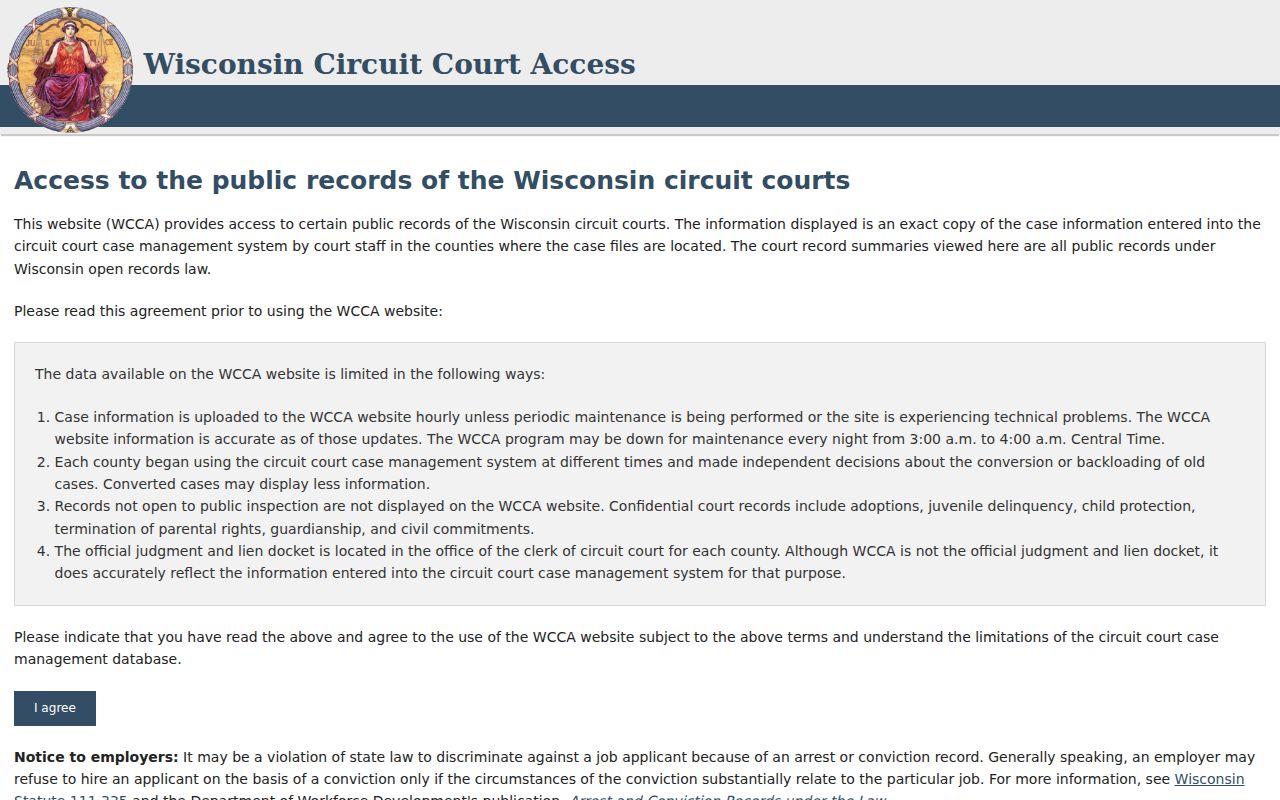
Use only public results and keep the county filter visible while comparing matches.
Case Number Searches
A case number is the best way to avoid name confusion. Wisconsin identifiers combine a year, a case-type code, and a sequence, represented safely as YYYY-XX-#####. The middle code routes the matter: CF denotes criminal felony, CM criminal misdemeanor, CV civil, SC small claims, and FA family. Enter the identifier as the live portal requests it and confirm that the result says Pepin County.
Other codes include CT for criminal traffic, TR for traffic, FO for non-traffic ordinance, PR or IN for probate, GN for guardianship, and JV for juvenile. A code helps route a search, but it does not decide whether public access is allowed.
Pepin County Case Type Codes
Codes make a broad name search more useful. They also prevent unlike cases from being merged in the reader's mind. A closed CF result and an open CV result are different matters even if party names resemble each other.
- CF
- Criminal felony classification.
- CM
- Criminal misdemeanor classification.
- CT
- Criminal traffic classification.
- CV
- Civil classification.
- SC
- Small-claims classification.
- FA
- Family classification.
Specialized codes can be restricted. Do not infer access from the code alone.
Case Search Results Explained
The official generic WCCA sample documents a wide field inventory. Public detail can include the case number, Pepin County, filing date, case type, status, court record events, branch, parties and roles, attorneys, charges, statutes, disposition, amounts owed, or responsible official. Not every field appears in each case. A match should be based on several labeled facts, never on a name alone.
| Case Number | Unique identifier in the form YYYY-XX-#####. |
|---|---|
| Parties | People or organizations and their labeled roles. |
| Case Type | Classification such as criminal, civil, family, probate, or traffic. |
| Filed Date | Date the case was filed, distinct from a hearing date. |
| Status | Open or closed condition; read events because later activity may occur. |
Pepin County Case Events and Files
WCCA is an index and event history, not a public document repository. It may say that a complaint, motion, order, or judgment was filed without supplying the paper. Save the case number, document description, and event date, then ask the Pepin County Clerk of Circuit Court for an ordinary or certified copy. The Clerk accepts records questions by phone at 715-672-8861, at the Government Center counter, or by a focused mailed request to 740 7th Avenue West, PO Box 39, Durand, WI 54736.
Public courthouse WCCA terminals are a further access channel, though Pepin County has not published the terminal's room. Call before visiting. An eFiling account is for authorized filing and party access; it does not turn private filed documents into public downloads.
Two Ways to Search: County and State
Pepin County uses the statewide WCCA system for circuit cases rather than a second local portal. The practical comparison is therefore a statewide search against the same tool narrowed to Pepin. Start statewide when the county is unknown. Select Pepin when the local court is known, since that filter cuts down unrelated names.
| Statewide Portal | Pepin County Filter |
|---|---|
| Wisconsin circuit-court index across counties | The WCCA county filter set to Pepin |
| Useful when the filing county is unknown | Useful for a known Pepin County matter |
| Public index and court record events | The same index, not a full local document file |
Pepin County Case Search Boundaries
A Pepin County circuit result does not cover every court. Wisconsin Court of Appeals District III and Supreme Court matters are searched in WSCCA. Federal civil and criminal cases for Pepin County belong to the Western District of Wisconsin and use federal services such as PACER. Bankruptcy has its own Western District court access. Search the court named on the filing instead of assuming WCCA is universal.
An appeal does not erase the circuit history. It creates a higher-court record focused on review. Keep both case identifiers when following the matter. WSCCA is the proper statewide search for Wisconsin appeals, not an alternate view inside WCCA. A federal identifier likewise belongs in the federal court's service. This court-first check prevents a valid search from looking empty merely because it was run in the wrong system.
Troubleshooting Pepin County Case Searches
If no result appears, remove a middle initial, confirm spelling, switch between individual and business fields, and verify that Pepin is the chosen county. Try the case number if a notice or citation provides it. A portal change can also affect field placement, so return to the state landing page rather than relying on an old bookmark.
Search absence is not proof that no record exists. The case may use another county, court, name form, or protected classification. Call the Clerk with a narrow set of facts instead of searching repeatedly with sensitive personal data. Give the approximate filing or event date and the case type when known. The Clerk can identify access mechanics and the proper record custodian, though staff cannot provide legal advice or promise access to confidential material.
Which Cases Stay Restricted
Wisconsin law and court rules restrict some records. Categories identified in official guidance include adoption, juvenile, mental-health, guardianship, confidential name-change, child-protection, termination-of-parental-rights, grand-jury, unexecuted-warrant, and some paternity material. Sealed means access is blocked by order or rule. Confidential means the law restricts it. Redacted means protected facts are hidden within an otherwise accessible document.
A missing Pepin County result may reflect confidentiality, a specialized index, or a different court. The Clerk can explain the lawful access process but cannot give legal advice. A case number does not override a restriction, and certification does not make a closed record public. Protected personal identifiers should never be copied into a broad search. Wisconsin guidance treats Social Security numbers, account numbers, driver's license numbers, and passport numbers as protected data. Use the public interface only as designed.
Pepin County Case Search Checks
Before relying on a match, confirm Pepin County, the full case number, the case-type code, filing date, status, and party role. Then read the newest court record events. These checks distinguish a likely match from a same-name result and keep a past event from being mistaken for a future hearing.
For a filed paper, preserve its event date and title, then contact the Clerk. For a higher-court matter, move to WSCCA. That final court-and-document check is part of a complete search.